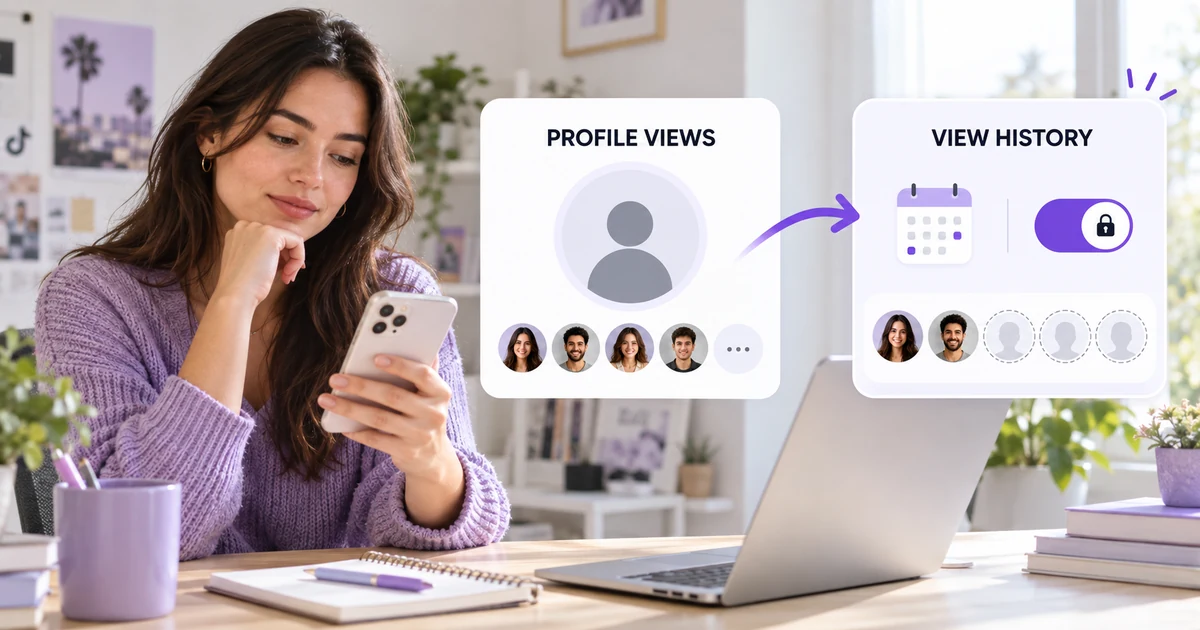
If TikTok profile views aren't showing, the first thing to check is which profile-view feature you mean. TikTok separates the number of profile visits shown in analytics from Profile View History, the privacy-controlled list of eligible accounts that visited your profile.
That named list is intentionally incomplete. TikTok says it only includes qualifying accounts that viewed your profile within the past 30 days and also have Profile View History turned on. The feature is currently available only to people who are at least 16 years old and have fewer than 5,000 followers. So a missing name doesn't automatically mean the visit wasn't counted—or that anything is broken.
The quick answer
Check these three points first:
- Open Profile → Menu → Settings and privacy → Privacy → Profile views and confirm Profile View History is on.
- Confirm your account meets TikTok's current age and follower-count requirements.
- Remember that a visitor appears only when their account is eligible and they have the same history setting enabled.
If those conditions are met but the feature is still missing, update TikTok, restart the app and check again later. Feature labels and placement can vary by account, app version or region.
At a glance
- Profile views in analytics can help you understand the volume of visits to your profile.
- Profile View History can show some named visitors, but only when both sides meet TikTok's conditions.
- The named history looks back 30 days, according to TikTok.
- Turning the feature on is reciprocal: eligible people whose profiles you visit may also see your visit.
- A short or empty list isn't proof that your profile received no visits.
- This setting doesn't reveal everyone who watched your videos.
Profile views and Profile View History are not the same thing
The similar names cause most of the confusion.
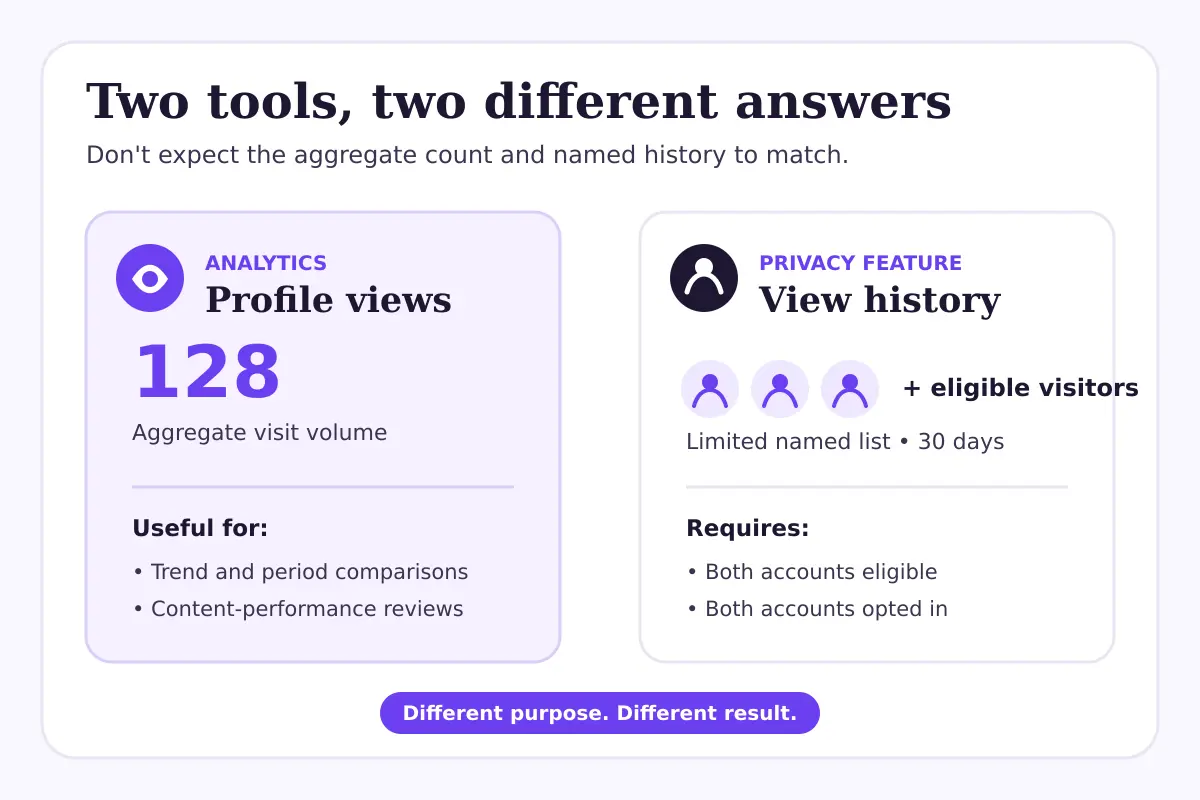
An analytics figure answers a broad question: How many profile visits did my account receive during a selected period? It is useful for spotting directional changes after a post, campaign or profile update. It doesn't promise a list of the people behind those visits.
Profile View History answers a narrower question: Which eligible, opted-in accounts visited my profile during the last 30 days? It is designed with reciprocal privacy controls. When you enable it, other eligible users who also have it enabled may see that you visited them.
That means the two numbers should not be expected to match. Ten aggregate profile visits could produce a much shorter named list because some visitors may have the setting off, may not qualify for the feature, may have visited more than once or may fall outside the history window.
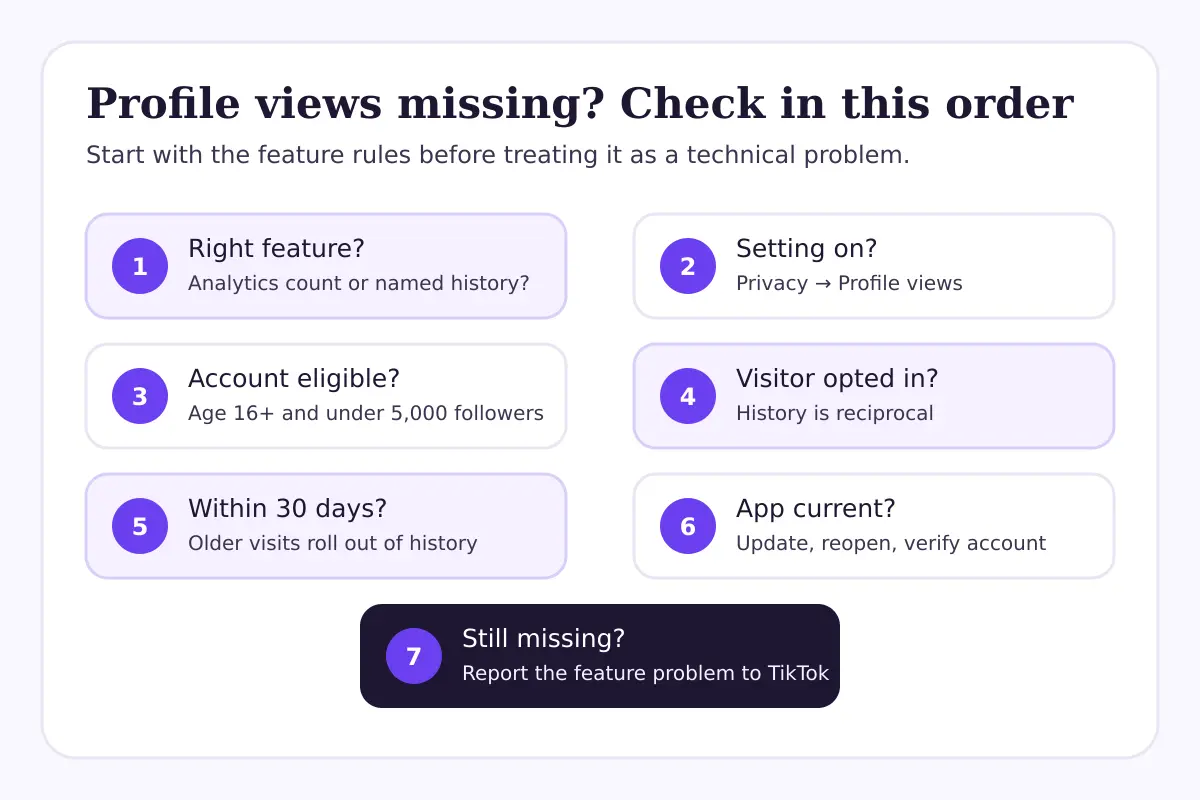
Seven checks when TikTok profile views aren't showing
1. Make sure Profile View History is actually on
TikTok says you can manage the setting from Profile → Menu → Settings and privacy → Privacy → Profile views. Depending on your app version, you may also see a profile-view icon near the top of your profile or access the setting from a profile-views notification.
If the setting is off, you won't see the named visitor history. TikTok says the setting is off by default, so don't assume it was enabled automatically.
Turning it on has a privacy trade-off. Eligible accounts with the same setting enabled may see when you view their profiles. If you don't want that reciprocity, leaving it off is a valid choice.
2. Check the account eligibility rules
TikTok's current Help Center states that Profile View History is available to users who are 16 or older and have fewer than 5,000 followers.
If the setting disappeared after your account grew beyond that threshold, the change may be expected rather than a technical fault. The same applies if the birth date associated with the account doesn't meet the age requirement.
Don't change account details just to force access. If your date of birth is wrong, use TikTok's supported account-help process rather than entering inaccurate information.
3. Remember that the visitor must opt in too
This is the condition people miss most often. Your setting can be on while a genuine visitor still doesn't appear.
TikTok's named history is reciprocal. It shows profile visits from accounts that also have Profile View History turned on and meet the feature's requirements. Someone who has opted out can visit without appearing in your named list.
So, if a friend says, “I opened your profile, but my name isn't there,” compare settings before troubleshooting the phone. Their privacy choice may explain the missing entry.
4. Check the 30-day window
TikTok says Profile View History covers the past 30 days. A visit older than that won't remain in the current history.
This rolling window also makes screenshots easy to misread. A visitor shown last week can disappear later without blocking you, unfollowing you or changing anything else. The visit may simply have aged out.
Use an analytics reporting window when you need a longer-term pattern. Use Profile View History only for the short, privacy-limited view TikTok designed it to provide.
5. Confirm you're looking in the right place
There are three different questions that often get bundled together:
| What you want to know | Where to look | What you should expect |
|---|---|---|
| How many times people visited your profile | TikTok analytics or creator tools | An aggregate measure, not names |
| Which qualifying accounts visited your profile | Profile View History | A limited 30-day list of eligible, opted-in accounts |
| Who watched an individual video | Post analytics and engagement | Performance data; not a complete list of every viewer |
If your goal is to understand why a post drove fewer profile visits, use TikTok Studio and compare similar posts. If you want to understand why overall video distribution changed, follow the diagnostic process in TikTok Views Suddenly Dropped? 7 Checks Before You Change Strategy. Neither problem can be solved by a named profile-visitor list alone.
6. Rule out an app or account-display issue
If you qualify and the setting should be visible, try the simple checks before drawing a larger conclusion:
- Update TikTok from your device's official app store.
- Close and reopen the app.
- Confirm you're signed into the intended account.
- Check the privacy menu rather than relying on a missing shortcut icon.
- Restart the device if the interface is unresponsive.
- Use Settings and privacy → Report a problem if the control remains unavailable.
Avoid repeatedly reinstalling the app without checking your login and draft status first. Locally stored drafts can be lost when the app is removed.
TikTok changes menus over time, and availability can differ between accounts. A missing shortcut doesn't automatically mean the underlying setting is unavailable; the Privacy menu is the better place to verify.
7. Decide whether the named history is useful for your goal
Profile View History is optional. For a creator or business, it may offer occasional context, but it isn't a reliable lead list or a complete measure of audience interest.
If you care about content decisions, focus on repeatable evidence: profile-visit trends, watch behavior, engagement, search demand and the actions people take after viewing a post. TikTok's Creator Search Insights can help you investigate search topics, while a playlist can organize a series once the content exists; see How to Make a Playlist on TikTok.
Two hypothetical examples
Example 1: Analytics rises, but the named list stays short
Hypothetical scenario: A creator publishes a tutorial and sees profile visits increase in analytics over the next two days. Profile View History shows only three accounts.
Those results aren't contradictory. The aggregate figure can reflect visits that do not qualify for the named history, including visitors with the setting off. The practical next step is to study which post drove the visit increase and whether viewers took meaningful follow-up actions—not to assume the missing names represent lost data.
Example 2: A known visitor doesn't appear
Hypothetical scenario: A colleague opens a brand's TikTok profile while both people are testing the feature. The colleague doesn't appear in the history.
First confirm both accounts are eligible, both settings are on and the visit happened within 30 days. Then update and reopen the app. If the entry still doesn't appear, treat the list as a limited product signal and report the problem to TikTok; don't use one missing entry as evidence of a reach penalty or account restriction.
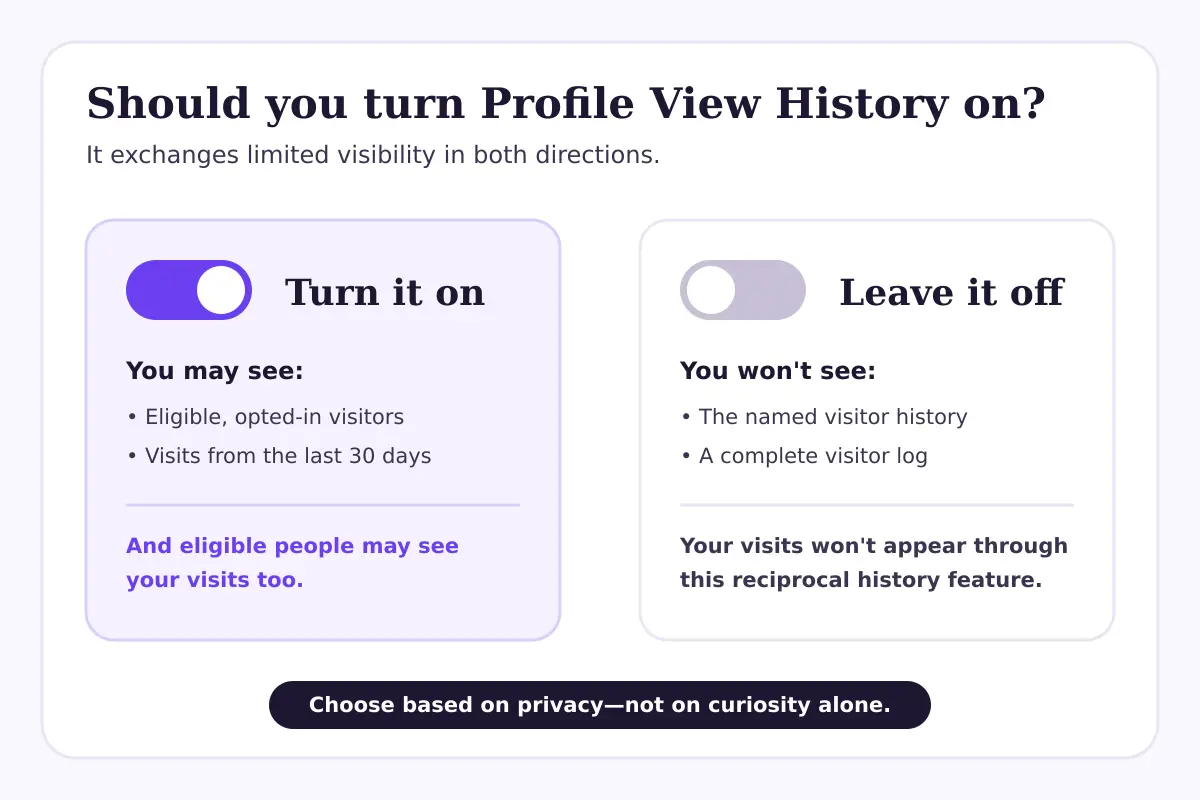
Should you turn Profile View History on?
Choose based on privacy, not curiosity alone.
Turn it on if you understand the reciprocal behavior and find a limited visitor list useful. Leave it off if you don't want eligible accounts to see your visits or if the list would distract you from stronger performance signals.
For growth planning, the better question is rarely “Who looked at my profile?” It is “What made someone curious enough to visit, and did the profile clearly explain what to do next?” A focused bio, coherent recent posts and an obvious content promise can make those visits more useful. If you want structured support, explore TikTok growth options without assuming any specific follower, reach or engagement result.
A five-minute action checklist
- Decide whether you need aggregate analytics or named visitor history.
- Check the Privacy menu for Profile View History.
- Confirm the account meets TikTok's current age and follower requirements.
- Remember that visitors must also be eligible and opted in.
- Limit comparisons to the past 30 days for the named history.
- Update and restart the app if the control is missing.
- Use TikTok Studio for content decisions and report persistent feature problems to TikTok.
Frequently asked questions
Why can't I see who viewed my TikTok profile?
Profile View History may be off, your account may not meet TikTok's current eligibility rules, or the visitors may not have the same setting enabled. The list covers only eligible, opted-in accounts from the past 30 days.
Can someone see that I viewed their TikTok profile if my history is off?
TikTok describes Profile View History as reciprocal. If your setting is off, your profile visit should not appear in another user's Profile View History. Check TikTok's current Privacy page before relying on this for a sensitive situation, because product behavior can change.
Is Profile View History the same as profile views in analytics?
No. Analytics can show an aggregate volume of profile visits, while Profile View History shows a limited set of named, eligible visitors who also opted in. The figures are not expected to match.
Why did a name disappear from my profile-view list?
The visit may have moved outside TikTok's 30-day history window, or the person may have turned the setting off. An app refresh or eligibility change can also affect what you see.
Does an empty Profile View History mean my account is shadowbanned?
No. An empty list can result from settings, eligibility, reciprocity or the 30-day window. It doesn't establish that TikTok limited your distribution. Check post analytics, account status and any notices TikTok actually provides before diagnosing a reach problem.
The bottom line
When TikTok profile views aren't showing, separate the aggregate metric from the privacy-controlled visitor history. Then check eligibility, settings, reciprocity and timing in that order.
The named history can provide a little context, but it isn't a complete record of interest in your account. For content decisions, analytics and comparable-post reviews are more dependable than trying to identify every visitor.
Official sources
Questions, answered plainly
Frequently asked questions
Why can't I see who viewed my TikTok profile?
Profile View History may be off, your account may not meet TikTok's current eligibility rules, or the visitors may not have the same setting enabled. The list covers only eligible, opted-in accounts from the past 30 days.
Can someone see that I viewed their TikTok profile if my history is off?
TikTok describes Profile View History as reciprocal. If your setting is off, your profile visit should not appear in another user's Profile View History. Check TikTok's current Privacy page before relying on this for a sensitive situation, because product behavior can change.
Is Profile View History the same as profile views in analytics?
No. Analytics can show an aggregate volume of profile visits, while Profile View History shows a limited set of named, eligible visitors who also opted in. The figures are not expected to match.
Why did a name disappear from my profile-view list?
The visit may have moved outside TikTok's 30-day history window, or the person may have turned the setting off. An app refresh or eligibility change can also affect what you see.
Does an empty Profile View History mean my account is shadowbanned?
No. An empty list can result from settings, eligibility, reciprocity or the 30-day window. It doesn't establish that TikTok limited your distribution. Check post analytics, account status and any notices TikTok actually provides before diagnosing a reach problem.
Keep reading
Related guides

How to Add Chapters to YouTube Videos
A practical guide to planning, formatting, publishing, and checking YouTube chapters without turning your description into a mess.

YouTube Impressions Up but CTR Down? 7 Checks Before You Change Your Thumbnail
A falling click-through rate is not automatically bad when YouTube is showing your video to more people. Use these seven checks before changing the thumbnail.

YouTube Dynamic Thumbnails vs A/B Testing: What Creators Should Know
YouTube has announced dynamic thumbnails and video-cut testing, but its existing A/B tool works differently. Here is what each option tests and what creators can do now.