
A Facebook boosted post and an Ads Manager campaign are both paid advertising. The difference is how much control you need and how complicated the job is.
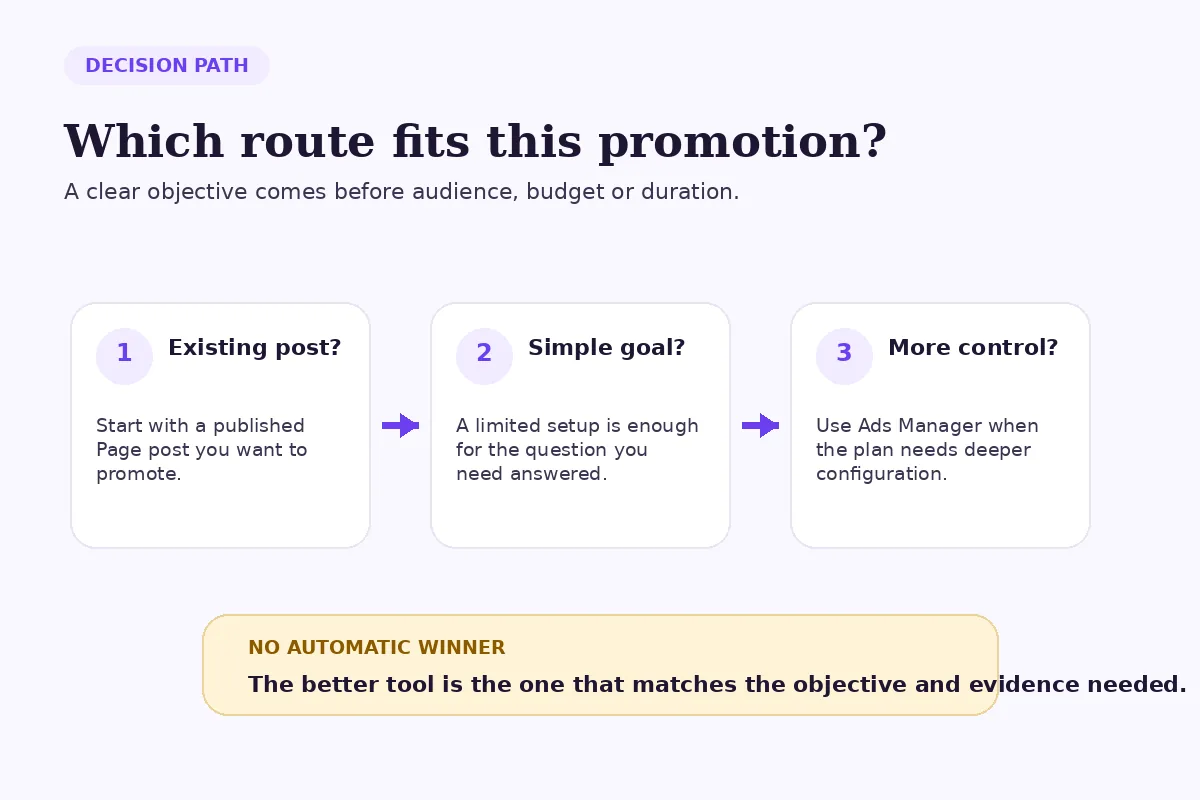
Boosting is the shorter route when you already have a Page post and want a straightforward promotion. Ads Manager is the better fit when you need a wider choice of objectives, a structured campaign setup or more deliberate testing. Neither option automatically produces a better result.
How was this comparison made?
This is a criteria-based comparison using Meta's current documentation, not a FastSocialz campaign test. It compares the two routes across setup, objectives, audience control, creative control and measurement. No performance benchmark is implied, because cost and outcomes vary with the offer, audience, creative, objective, market and account history.
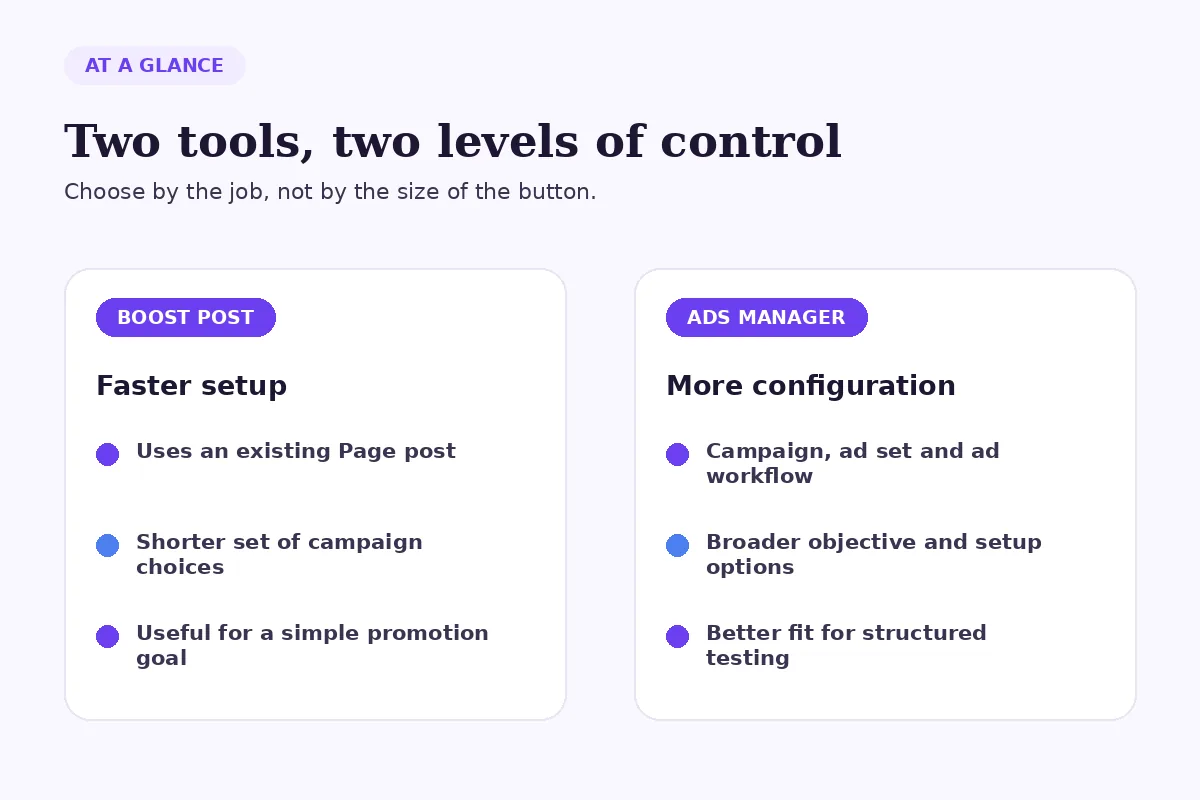
Facebook boosted posts vs Ads Manager at a glance
| Question | Boosted post | Ads Manager |
|---|---|---|
| Where do you start? | From an existing Facebook Page post | From a campaign setup in Meta Ads Manager |
| How much setup is involved? | Shorter and simpler | More detailed |
| What is the main strength? | Fast promotion of existing content | More control over the campaign plan |
| What can you customize? | A focused set of choices shown in the boost flow | Broader objective, audience, placement, creative and delivery options, depending on the campaign |
| What is it best for? | A clear, limited promotion job | Structured acquisition, testing or multi-step campaigns |
| Is it guaranteed to work? | No | No |
The interface can change and not every option appears for every account, objective, country or ad category. Read the controls and definitions shown in your own account before spending.
What is a Facebook boosted post?
A boosted post is an existing post from your Facebook Page that you turn into an ad by adding budget and choosing from the options in the boost flow. Meta says you select who you want to reach, how much you want to spend and how long the promotion should run. The boosted post is still an ad, even though you started from the Page instead of building the campaign in Ads Manager.
The advantage is speed. You don't have to design a new ad from a blank campaign. The original Page post, including its visible message and creative, stays at the center of the promotion.
That simplicity is also the limit. A boost gives you fewer ways to structure the campaign than Ads Manager. If the post is unclear, the destination is weak or the promotion goal is vague, the shorter setup doesn't repair those problems.
What is Meta Ads Manager?
Meta Ads Manager is the fuller campaign-building environment. You choose an objective aligned with the business outcome you want, then configure the campaign and the available audience, budget, placement and creative settings.
Meta's current objective guidance centers the setup on the intended business result. The exact choices shown can vary, but the principle matters: the system needs a defined job. “Get more results” is not specific enough. A campaign intended to generate leads should not be judged only by reactions, and a visibility campaign should not be called a failure only because it did not produce an outcome it was not configured to pursue.
Ads Manager is not automatically the professional choice in every situation. It is useful when the additional controls answer a real need. More settings without a clear plan can create a more complicated mistake.
Is boosting a Facebook post worth it?
Boosting can be reasonable when you have a proven Page post, a modest and clearly defined goal, and no need for a complex campaign structure. It can also be a practical first step for a small team that needs a controlled promotion rather than a multi-ad experiment.
Suppose, hypothetically, a local studio publishes an organic post announcing a weekend workshop. The post has a clear date, location and booking link. The team wants to show that exact announcement to more relevant local people for a short period. A boosted post may be sufficient if the available audience and goal settings match the plan.
The word “may” matters. A boost buys distribution; it does not guarantee registrations, engagement or future organic reach. Review the result against the chosen goal and the quality of the landing experience.
When should you use Ads Manager instead?
Use Ads Manager when the campaign requires more structure than the boost flow provides. Common reasons include:
- choosing an objective tied to a particular business action;
- comparing more than one audience or creative approach;
- controlling where the ads may appear;
- organizing activity across campaigns, ad sets and ads; or
- keeping paid tests and reporting consistent over time.
Here is a second hypothetical example. Imagine a consultant has two lead magnets and wants to compare two audience groups while measuring completed forms. That is no longer a simple “show this post to more people” task. Ads Manager gives the campaign a clearer structure, but it still cannot guarantee qualified leads or sales.
Before building anything, write the decision you expect the campaign to support. If the answer is “Which audience responded more often to the same offer?” the setup should hold the offer and creative stable enough to make that comparison useful.
Does Ads Manager always outperform boosted posts?
No. Ads Manager provides more controls; it does not make the creative, offer or destination stronger by itself. A well-matched boost can be more sensible than an elaborate campaign with a vague objective.
The inverse is also true. A strong organic post is not proof that a boost will achieve a business result. Organic response may reflect existing followers, comments from familiar customers or external sharing. Paid delivery changes the audience and context.
If you are comparing paid and organic activity, label them separately. Our 20-minute Facebook content audit explains how to keep unlike delivery conditions from distorting the lesson.
Should you boost a Reel, Story or feed post?
Choose the format only after choosing the job. A Reel may suit a demonstration, a feed post may hold a more durable explanation, and a Story may serve a time-sensitive update. Format alone does not determine whether boosting or Ads Manager is appropriate.
Our guide to Facebook Reels, Stories and feed posts compares those formats by purpose. Use that decision first, then choose the paid route that gives you enough control for the promotion.
What should you check before spending money?
Start with the destination. If the post promises one thing but the landing page opens with another, extra delivery may expose the mismatch rather than solve it.
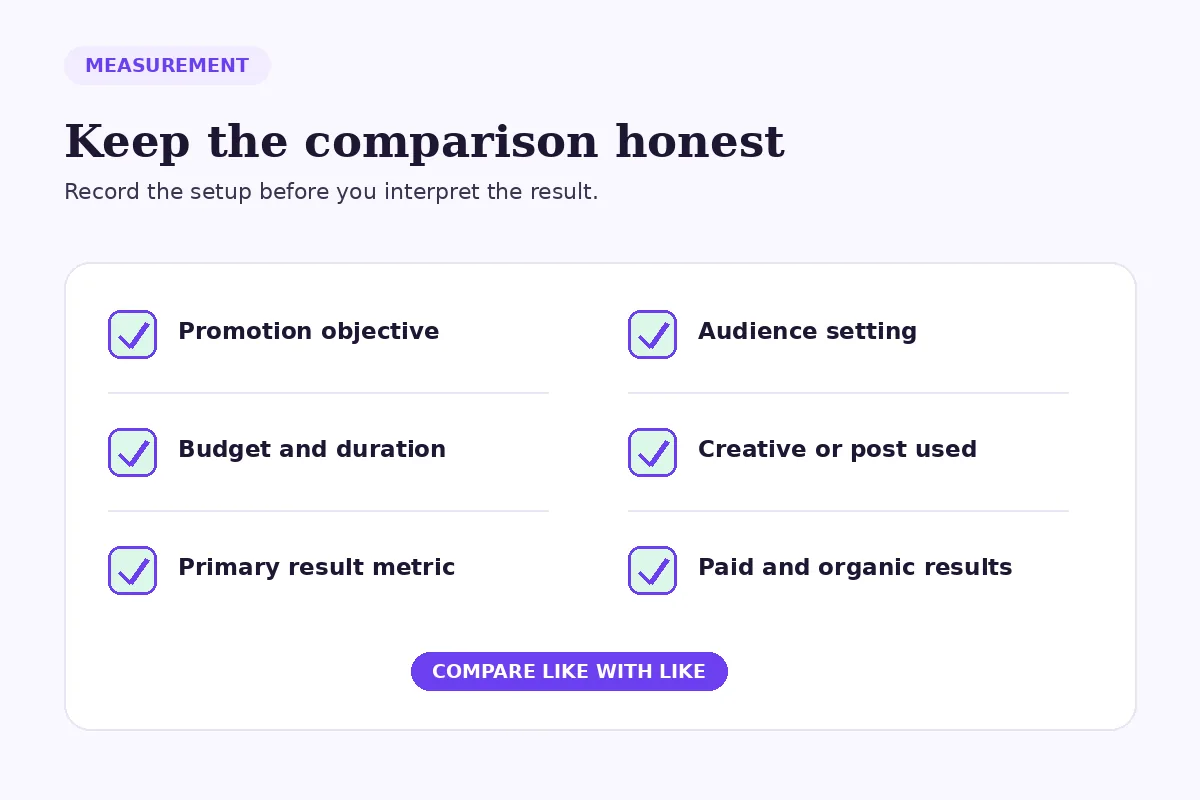
Then record six fields before launch:
- the business objective;
- the audience setting;
- the post or creative used;
- the budget and duration;
- the primary result metric; and
- the date when you will review the result.
Keep the primary metric close to the goal. Secondary signals can add context, but they should not replace the campaign's actual job because one number looks more flattering.
What mistakes make this comparison unreliable?
Choosing the tool before the objective
“Boost or Ads Manager?” is the second question. “What should this promotion accomplish?” is the first.
Treating paid reach as organic proof
A promoted post received an additional delivery input. Record its paid and organic results separately when the reporting surface allows it.
Changing several variables at once
If you change the audience, creative, offer and destination together, the result cannot tell you which change mattered.
Using engagement as a substitute for the real goal
Comments and reactions can be useful, but they are not interchangeable with leads, bookings or purchases. Match the evaluation to the selected objective.
Assuming more control means better performance
Complexity is useful only when it supports a clearer question. Unused options do not add strategic value.
A practical decision sequence
- Define one business outcome.
- Confirm that the post, offer and destination all support it.
- Check whether the boost flow contains the controls you genuinely need.
- If it does, run a bounded promotion with a written review point.
- If it does not, build the campaign in Ads Manager and document the structure.
- Compare the result with a genuinely comparable test, not an unrelated post.
This sequence is deliberately conservative. It protects you from choosing a larger tool before you have a sharper question.
Where does FastSocialz fit?
Paid advertising and managed growth support are different tools. FastSocialz offers a Facebook growth service that does not require your Facebook password, but it cannot guarantee followers, reach, engagement, leads or sales.
Use any service alongside clear content, careful measurement and realistic expectations. It should not replace the work of defining who the content is for or what the next action should be.
Final recommendation
Choose a boosted post when the task is simple and the available setup is sufficient. Choose Ads Manager when the promotion needs deeper control, structured testing or a more specific campaign objective.
Do not choose based on the promise of an automatic winner. Choose the smallest system that can answer the business question accurately, then record the setup well enough to learn from the result.
Official sources
Structured support, no account access
Where a growth service fits on Facebook
Content and profile conversion come first, and no service changes that. A growth service cannot repair a vague bio, an audience that was never yours, or a post that gives viewers no reason to follow.
What it can do is handle the part most people never get around to: putting your profile in front of the right audience, consistently, while you concentrate on the content. FastSocialz builds campaigns by hand and runs them from your public profile link, so it never asks for your Facebook password and never logs in as you.
Explore Facebook Growth →No growth service can promise that a given number of views will produce a given number of followers.Questions, answered plainly
Frequently asked questions
Is a boosted Facebook post still an ad?
Yes. Meta states that boosted posts are ads because you apply budget to distribute the post to a wider audience. The setup begins from an existing Page post rather than a new Ads Manager campaign.
Can I see results for a boosted post?
Yes. Meta provides results for boosted posts. Review the figures against the goal chosen during setup and keep paid delivery separate from the post's organic baseline.
Is Ads Manager only for large businesses?
No. Business size is not the deciding factor. Ads Manager is useful when the campaign needs objectives, structure or controls that the simpler boost flow does not provide.
Does boosting a post increase future organic reach?
Meta does not promise that boosting a post will improve future organic distribution. Treat the boost as paid delivery for the selected duration, not as a guaranteed algorithmic benefit.
Can I use both boosted posts and Ads Manager?
Yes, if each route has a defined job. Keep the records clear so results from a simple boost are not mixed with a differently configured Ads Manager campaign.
Keep reading
Related guides

How to Add Chapters to YouTube Videos
A practical guide to planning, formatting, publishing, and checking YouTube chapters without turning your description into a mess.
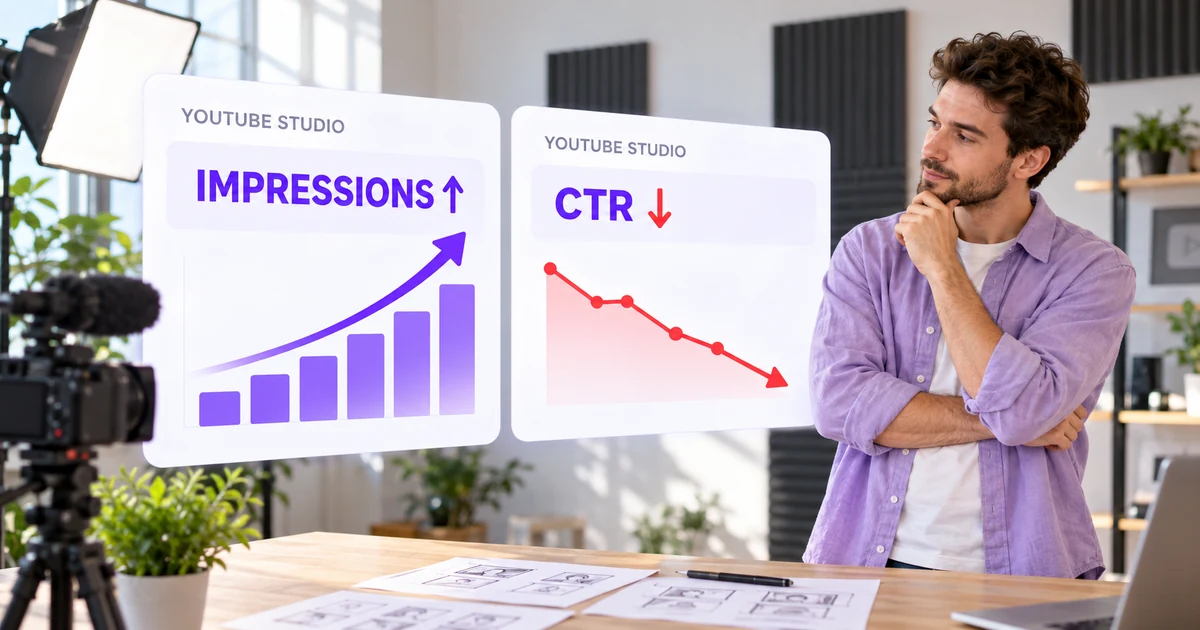
YouTube Impressions Up but CTR Down? 7 Checks Before You Change Your Thumbnail
A falling click-through rate is not automatically bad when YouTube is showing your video to more people. Use these seven checks before changing the thumbnail.

YouTube Dynamic Thumbnails vs A/B Testing: What Creators Should Know
YouTube has announced dynamic thumbnails and video-cut testing, but its existing A/B tool works differently. Here is what each option tests and what creators can do now.