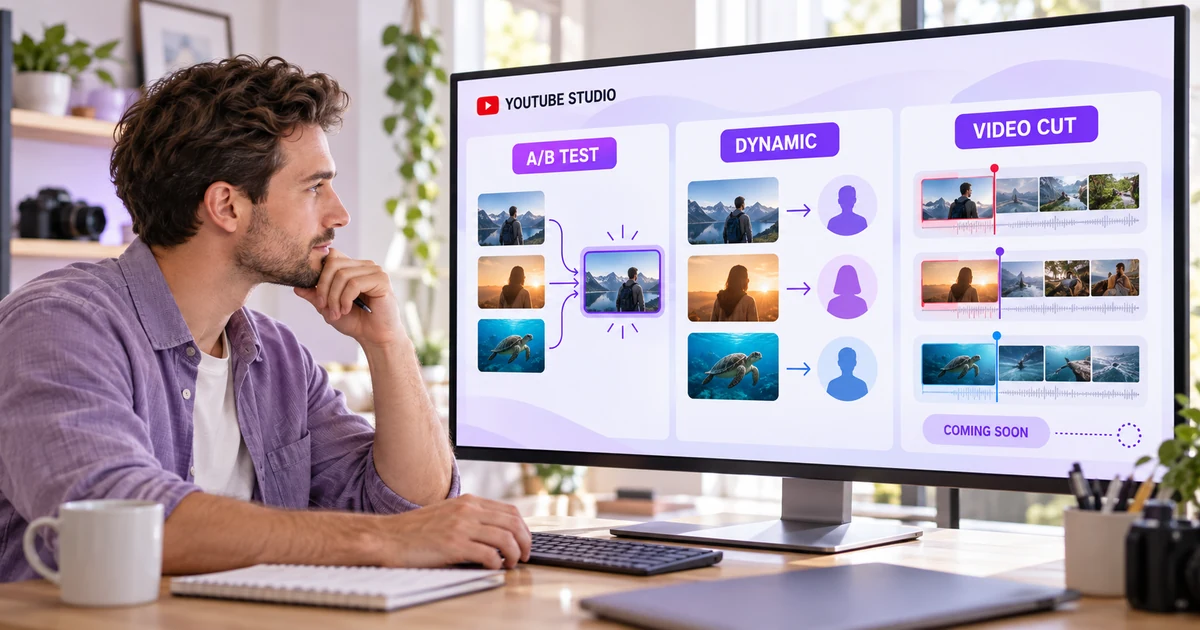
YouTube announced a new layer of creator testing on September 23, 2026. Dynamic thumbnails are designed to show different thumbnail options to different audience segments. A separate video A/B testing feature will compare up to three cuts of a video to see which one holds attention best.
Those ideas sound similar to the title-and-thumbnail A/B tests already available in YouTube Studio, but they answer different questions. One searches for a broadly stronger package. Another personalizes the package. The third changes the video itself.
This guide separates what is available now from what YouTube has announced, explains where the tools overlap, and gives you a practical testing plan that does not depend on features you may not have yet.
Updated on September 24, 2026. Availability can change during a rollout, so check your own YouTube Studio account before planning a workflow around a new tool.
Scope and methodology
This is a feature comparison, not a performance test. FastSocialz has not tested the unreleased tools, and YouTube has not published enough rollout detail to support a universal recommendation.
The availability and feature descriptions below come from YouTube's September 23 announcement and its current Help Center documentation. Where YouTube has not specified access, timing, eligible formats or reporting details, this article says so instead of filling the gaps with assumptions.
Quick verdict
Use the existing title and thumbnail A/B test when you want to compare up to three packaging options and let watch time determine the result. It is the only one of these three workflows with complete public eligibility and operating instructions today.
Treat dynamic thumbnails as a personalization tool. Rather than searching for one thumbnail to show everyone, YouTube says it can recommend the most suitable of three options to different audience segments. YouTube announced the feature, but its September 23 post did not publish a general availability date or complete eligibility rules.
Treat video-cut A/B testing as an upcoming creative-retention test. YouTube says creators will be able to compare up to three video cuts for attention. It is “coming soon,” with no exact public rollout date in the announcement.
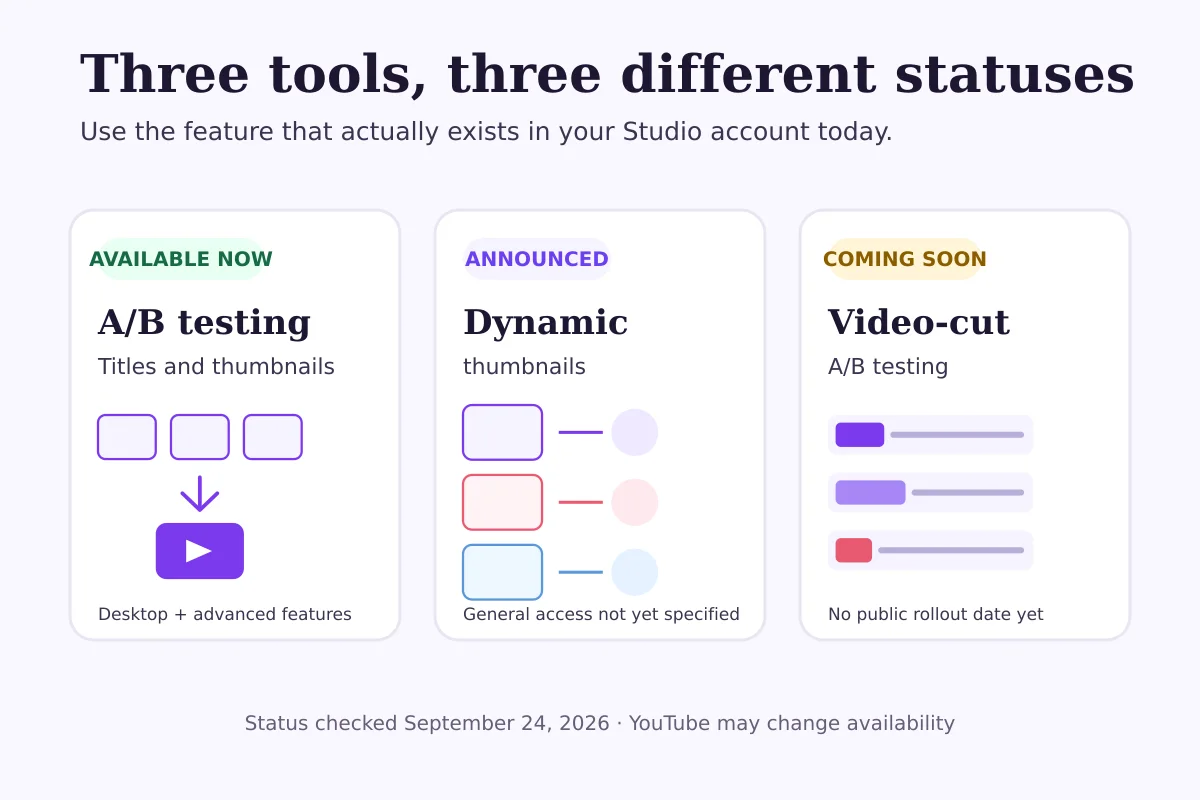
Comparison: what each YouTube test is designed to do
| Tool | Main question | What changes | Decision model | Status on September 24, 2026 |
|---|---|---|---|---|
| Title and thumbnail A/B testing | Which package produces more watch time? | Up to three titles, thumbnails or combinations | One option or combination is applied after the test; a test can also end without a clear winner | Available to eligible creators in Studio on desktop |
| Dynamic thumbnails | Which thumbnail may suit each audience segment? | Three thumbnail options | YouTube can show different thumbnails to different segments | Announced; complete general availability details not published |
| Video-cut A/B testing | Which edit holds attention best? | Up to three cuts of a video | Compares edited versions for audience attention | Coming soon; exact rollout date not published |
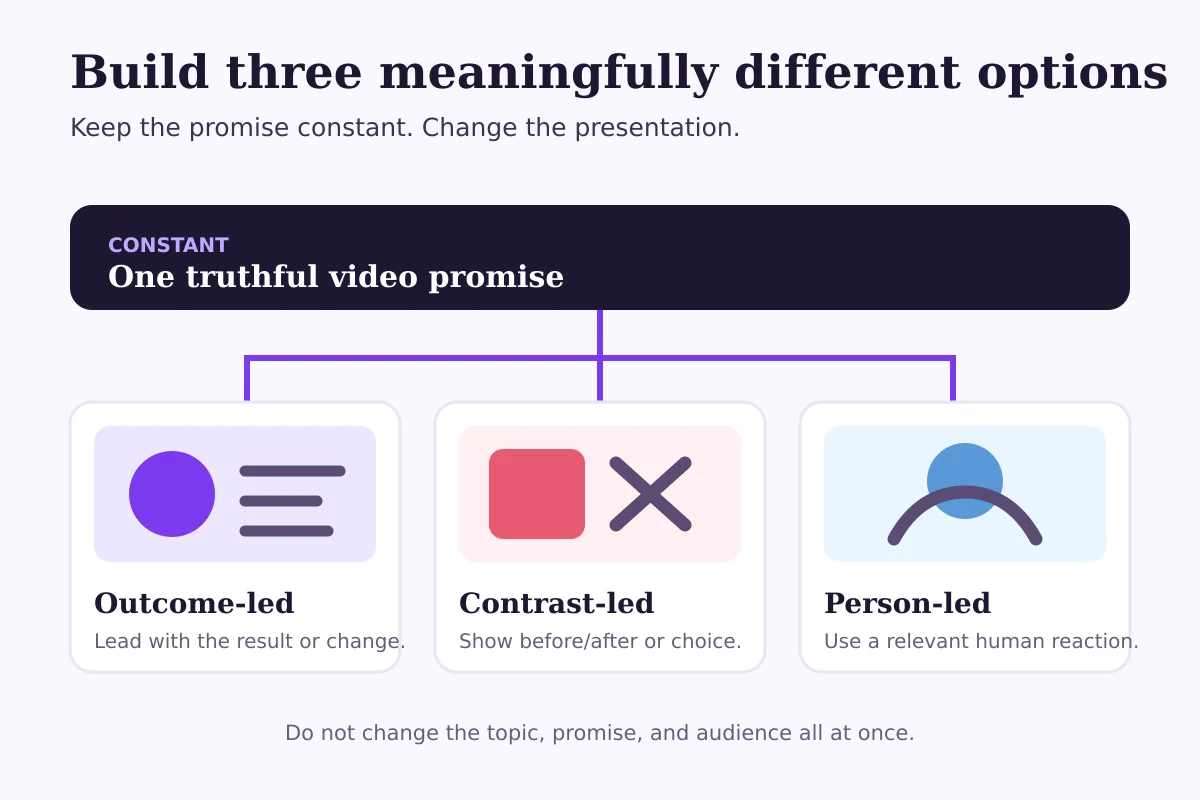
The most important difference is not “old versus new.” It is single-result testing versus ongoing personalization versus content testing.
1. Current title and thumbnail A/B testing
YouTube's current A/B tool lets eligible creators test up to three titles, three thumbnails, or combinations of the two. It runs in YouTube Studio on desktop and usually completes within a few days to two weeks.
YouTube evaluates the options by watch time, not click-through rate alone. That matters because a thumbnail can earn a click and still create a weak viewing session if it promises something the video does not deliver. The test is intended to reward packaging that helps viewers choose a video they will actually watch.
Current requirements include:
- access to YouTube's advanced features;
- YouTube Studio on a computer;
- an eligible public long-form video, live archive or podcast episode;
- content that is not private, made for kids or designated for mature audiences.
Shorts, scheduled live streams and active Premieres are not eligible under the current documented rules. A Premiere may become eligible after it ends and becomes a long-form video.
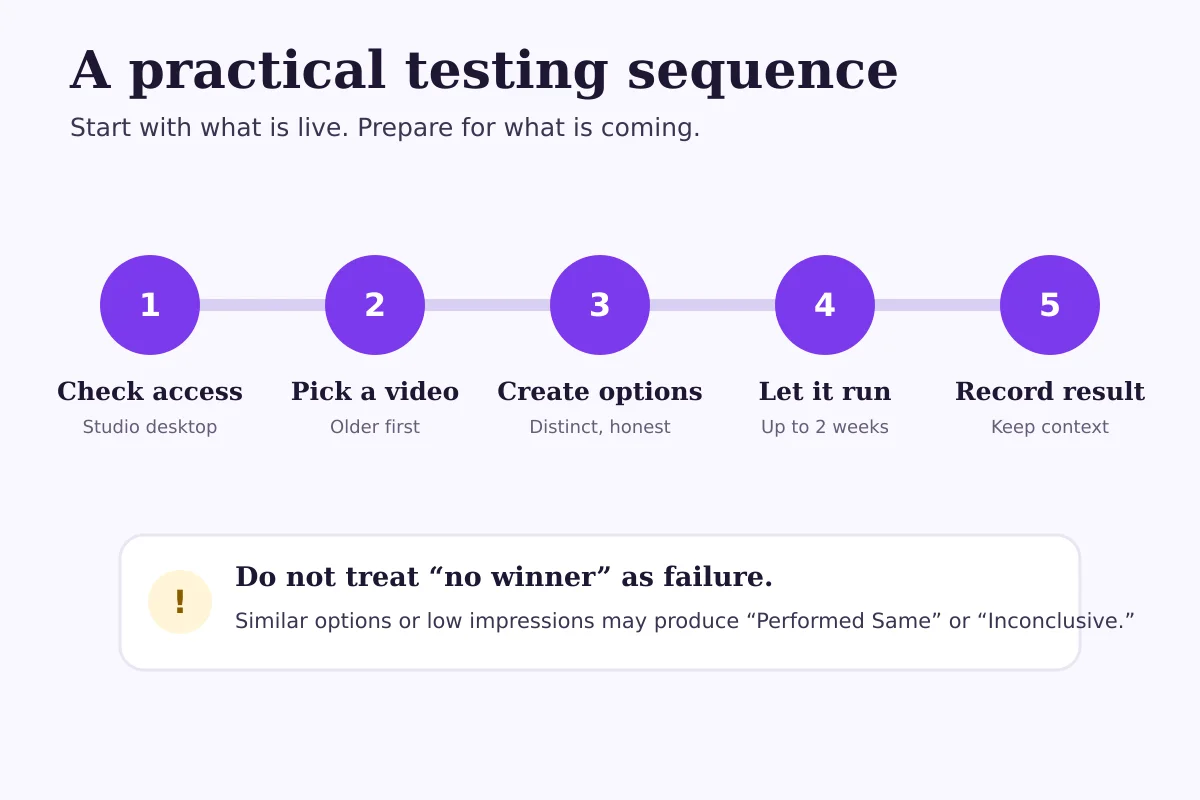
The result may be Winner, Performed Same or Inconclusive. A test without a winner is not broken. Your options may have performed similarly, or the video may not have received enough impressions for YouTube to identify a statistically clear difference.
YouTube recommends starting with an older video to reduce risk while you learn the workflow. That is sensible advice: an evergreen video with stable traffic gives you room to understand the report before testing the packaging of a major new upload.
2. Dynamic thumbnails
Dynamic thumbnails change the question from “Which thumbnail wins?” to “Which thumbnail fits this viewer group?”
In its September 23 announcement, YouTube said creators can use three thumbnail options and let YouTube recommend the most suitable one to different segments of the audience. That is personalization, not the same end-state as a conventional A/B test that applies one result broadly.
Imagine a home-renovation video. One thumbnail emphasizes the finished room, one shows the messy before state, and one focuses on the creator solving a difficult detail. Those images frame the same truthful video from different angles. Dynamic thumbnails could allow YouTube to match those angles to different groups rather than discarding two options after a single test.
That does not mean the feature ensures more clicks or watch time. It also does not mean creators should design three unrelated promises. If each thumbnail appears to advertise a different video, personalization turns into confusion.
What remains unknown publicly:
- when every eligible creator will receive access;
- whether access will depend on advanced features, channel history, geography or device;
- which video formats will be eligible at launch;
- how creators will see segment-level reporting;
- whether creators can exclude an option after the system begins using it.
Until YouTube publishes those details, the practical move is to prepare a small library of honest, meaningfully different thumbnail concepts—not rebuild your entire packaging process around an unavailable button.
3. Video-cut A/B testing
The upcoming video test moves beyond packaging. YouTube says creators will be able to test up to three different cuts and compare which version holds audience attention best.
That could make the opening seconds, pacing and structure testable inside YouTube's own distribution environment. A cooking channel might compare an immediate reveal, a quick ingredient overview and a problem-first opening. A software tutorial might compare starting with the finished result, the common mistake or the setup steps.
But the announcement does not yet provide a public rollout date, full eligibility rules, supported formats, test duration or reporting method. It would be premature to claim the tool is available to all creators—or that it replaces careful editing judgment.
For now, keep notes on where viewers leave, which openings retain attention and what you would change in a second cut. When the feature appears in your account, you will already have real hypotheses instead of three arbitrary edits.
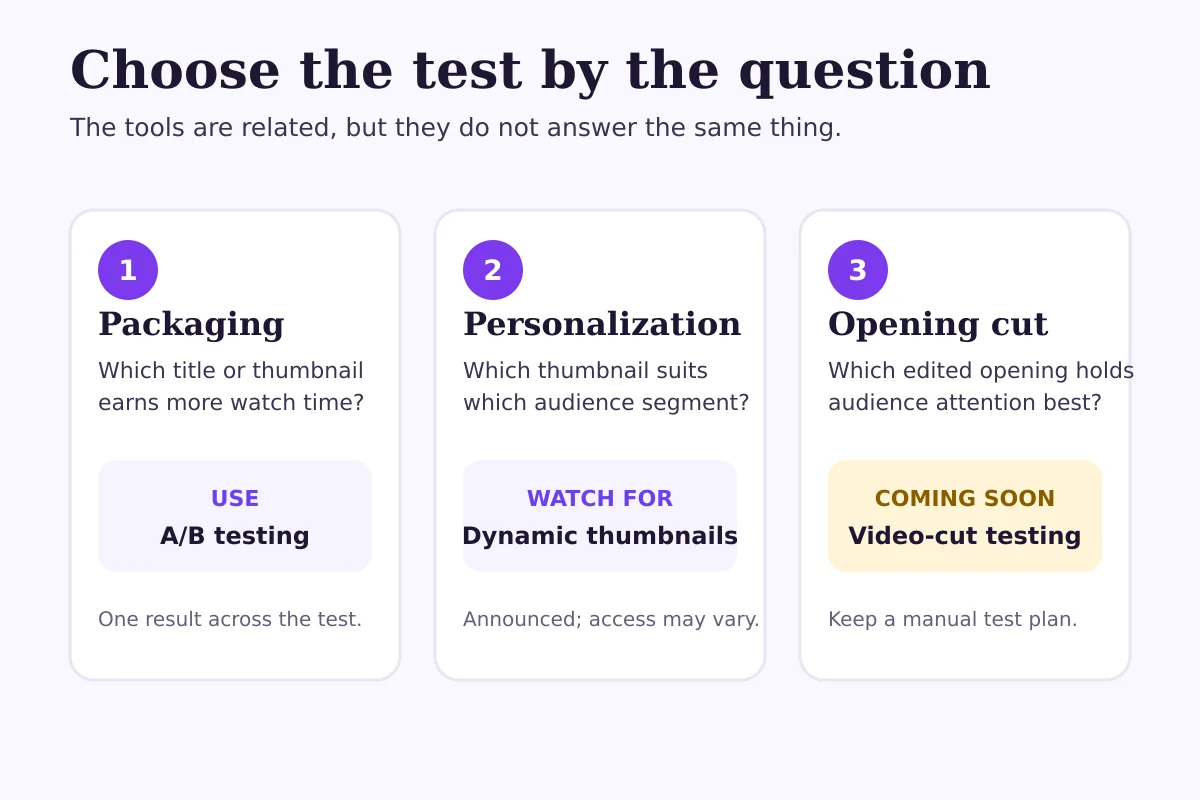
A fair way to design three thumbnail options
The strongest test changes the presentation while keeping the video's underlying promise stable.
Suppose your video explains how to rescue an underperforming product launch. Three defensible thumbnail directions might be:
- Outcome-led: the corrected launch dashboard or improved final state.
- Contrast-led: a clear before-and-after comparison.
- Person-led: the presenter reacting to the central problem, supported by one relevant visual cue.
All three should accurately represent the same video. Do not let one thumbnail promise a tutorial, another imply breaking news and a third suggest a case study the video does not contain.
Make the options different enough to teach you something. Changing only a button from violet to blue is unlikely to produce a useful result. At the same time, avoid changing the title, central promise, featured object and emotional tone all at once. If everything changes, you may know which option performed better without learning why.
A hypothetical testing scenario
Consider a hypothetical creator with an evergreen video about setting up a home podcast studio. The video already receives steady impressions, but its current thumbnail is generic.
The creator prepares three honest options: a clean finished desk, a before-and-after room comparison, and a close-up of the microphone setup. The title remains the same during a thumbnail-only test.
If YouTube reports Winner, the creator can use that result while noting the context: this video, this audience mix and this period. It is not proof that the same visual style will win on every upload.
If the result is Performed Same, all three options may be serviceable. The creator can pick the clearest one and move to a more consequential question.
If the result is Inconclusive, the video may need more impressions or more distinct options. The right response is not to invent certainty from tiny differences in the report.
Later, if dynamic thumbnails become available, the same three truthful visual angles could become personalization candidates. If video-cut testing arrives, the creator could separately test three openings. Packaging and editing would remain separate experiments.
Common mistakes to avoid
Treating dynamic thumbnails as a replacement for A/B tests
They may coexist because they solve different problems. One looks for a broadly stronger package; the other can personalize which package a segment sees.
Optimizing for clicks while ignoring the viewing experience
YouTube's current test uses watch time because the package should set an accurate expectation. A dramatic thumbnail that earns curiosity but disappoints after the click can be a poor result.
Testing three nearly identical ideas
Tiny visual changes rarely teach you much. Use distinct concepts while preserving the same truthful promise.
Declaring a universal winner from one video
An audience changes by topic, traffic source and time. A result belongs to the context that produced it. Record that context before turning one outcome into a channel rule.
Assuming an announced feature is already available
YouTube often rolls tools out gradually. If you do not see dynamic thumbnails or video-cut testing in Studio, that does not necessarily indicate a problem with your account.
What creators should do now
Start with the testing feature that is documented and visible in your own account.
- Open YouTube Studio on desktop and confirm whether advanced features are enabled.
- Choose an older public long-form video with enough regular impressions to produce a useful comparison.
- Decide whether you are testing the title, thumbnail or both. Early on, changing one layer can make the result easier to interpret.
- Create up to three options that express the same promise in meaningfully different ways.
- Let the test run. Avoid changing the title or thumbnail mid-test because that stops the experiment.
- Record the result, video age, traffic pattern and date. “No clear winner” is still a useful observation.
- Draft future hypotheses for dynamic thumbnails and video cuts, but wait for the tools and official eligibility details before treating them as part of your standard workflow.
Where growth support fits
Testing can improve how you present a video, but it cannot repair a weak topic, unclear value or inconsistent publishing on its own. Use the result as one input alongside audience retention, traffic sources, returning viewers and subscriber conversion.
If you want structured support promoting your channel while you continue improving the content itself, review the FastSocialz YouTube Growth service. It does not require your YouTube password, and it does not promise a particular level of views, subscribers or revenue.
For measurement context, read our guide to YouTube's 2026 views-count change. You can also browse the FastSocialz blog for practical growth and analytics guides.
Frequently asked questions
Are YouTube dynamic thumbnails available to everyone?
YouTube announced dynamic thumbnails on September 23, 2026, but its announcement did not provide a universal availability date or complete eligibility rules. Check YouTube Studio in your own account and avoid assuming that every creator has access.
How are dynamic thumbnails different from thumbnail A/B testing?
Current A/B testing compares up to three options and uses watch time to determine the result. Dynamic thumbnails are intended to show different thumbnail options to different audience segments rather than settle on one option for everyone.
Can I A/B test YouTube Shorts today?
Not with the current title-and-thumbnail A/B tool. YouTube's Help Center says Shorts are not eligible for that workflow. YouTube has announced future video-cut testing, but it has not published complete launch eligibility in the announcement.
Why does YouTube use watch time instead of click-through rate?
YouTube says titles and thumbnails should help viewers understand what a video offers, not simply win a click. Watch time therefore reflects both the package and whether viewers continue watching after choosing the video.
What happens if my test has no winner?
The options may have performed similarly, or the video may not have received enough impressions for a statistically clear result. You can keep the default, choose an option manually or design a more distinct follow-up test.
Sources and update notes
- YouTube announced dynamic thumbnails and upcoming video-cut A/B testing on September 23, 2026: New tools to power your creation journey.
- Current eligibility, steps, timing and result definitions: A/B test titles and thumbnails — YouTube Help.
- Advanced-feature access requirements: Learn about feature access for YouTube creators.
Final recommendation
Use today's A/B test to improve packaging. Prepare honest alternatives for dynamic thumbnails. Keep a short list of opening edits you would test when video-cut experiments arrive.
The useful shift is not “let the algorithm make every creative decision.” It is moving from one unexplained choice to a documented question, a controlled comparison and a result you can interpret without pretending it applies everywhere.
Questions, answered plainly
Frequently asked questions
Are YouTube dynamic thumbnails available to everyone?
YouTube announced dynamic thumbnails on September 23, 2026, but its announcement did not provide a universal availability date or complete eligibility rules. Check YouTube Studio in your own account and avoid assuming that every creator has access.
How are dynamic thumbnails different from thumbnail A/B testing?
Current A/B testing compares up to three options and uses watch time to determine the result. Dynamic thumbnails are intended to show different thumbnail options to different audience segments rather than settle on one option for everyone.
Can I A/B test YouTube Shorts today?
Not with the current title-and-thumbnail A/B tool. YouTube's Help Center says Shorts are not eligible for that workflow. YouTube has announced future video-cut testing, but it has not published complete launch eligibility in the announcement.
Why does YouTube use watch time instead of click-through rate?
YouTube says titles and thumbnails should help viewers understand what a video offers, not simply win a click. Watch time therefore reflects both the package and whether viewers continue watching after choosing the video.
What happens if my test has no winner?
The options may have performed similarly, or the video may not have received enough impressions for a statistically clear result. You can keep the default, choose an option manually or design a more distinct follow-up test.
Keep reading
Related guides
How to Add Chapters to YouTube Videos
A practical guide to planning, formatting, publishing, and checking YouTube chapters without turning your description into a mess.
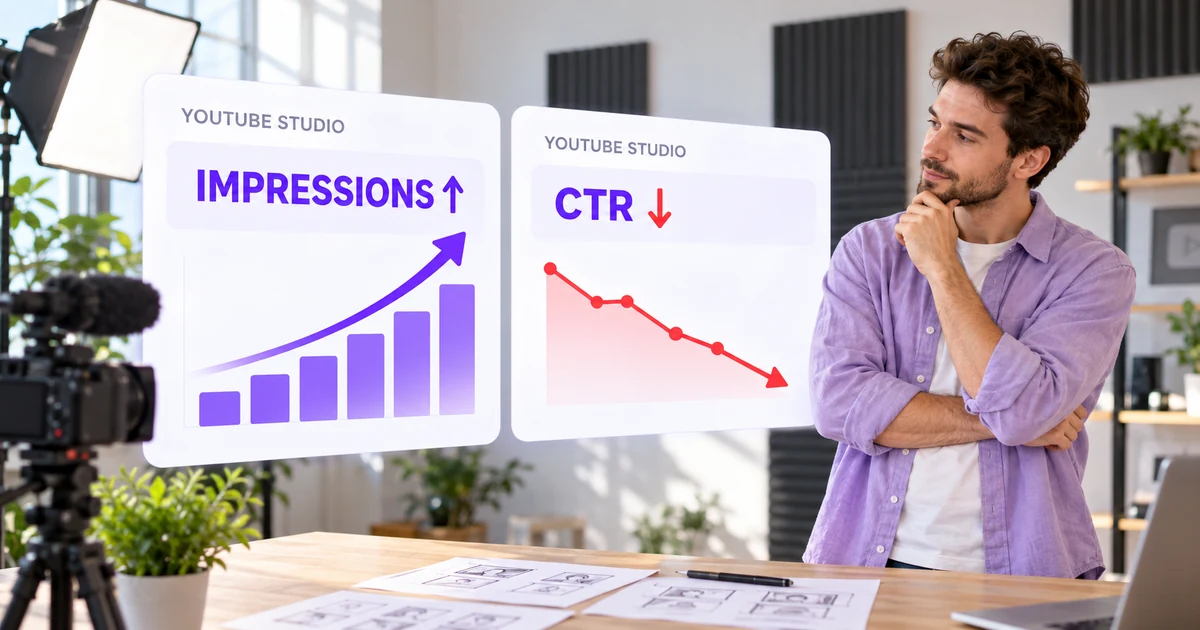
YouTube Impressions Up but CTR Down? 7 Checks Before You Change Your Thumbnail
A falling click-through rate is not automatically bad when YouTube is showing your video to more people. Use these seven checks before changing the thumbnail.
How to Use TikTok Studio Analytics: A 20-Minute Weekly Review
A focused 20-minute TikTok Studio routine for reading account trends, comparing similar posts and choosing one useful next content test.