# Facebook Page vs Group: Which Should Your Business Use?
Compare Facebook Pages and Groups by purpose, visibility, control and workload, then choose the right setup for your business and community.
- Published: 2026-09-21
- Author: FastSocialz Editorial Team
- Categories: Facebook Growth
- Reading time: 9 min
- Canonical: https://fastsocialz.com/blog/facebook-page-vs-group
---
A Facebook Page and a Facebook Group can both support a business, but they do different jobs. A Page is the public-facing presence: it represents the business, publishes official updates and gives customers a recognizable place to find you. A Group is a member space built around participation, shared interests and ongoing discussion.
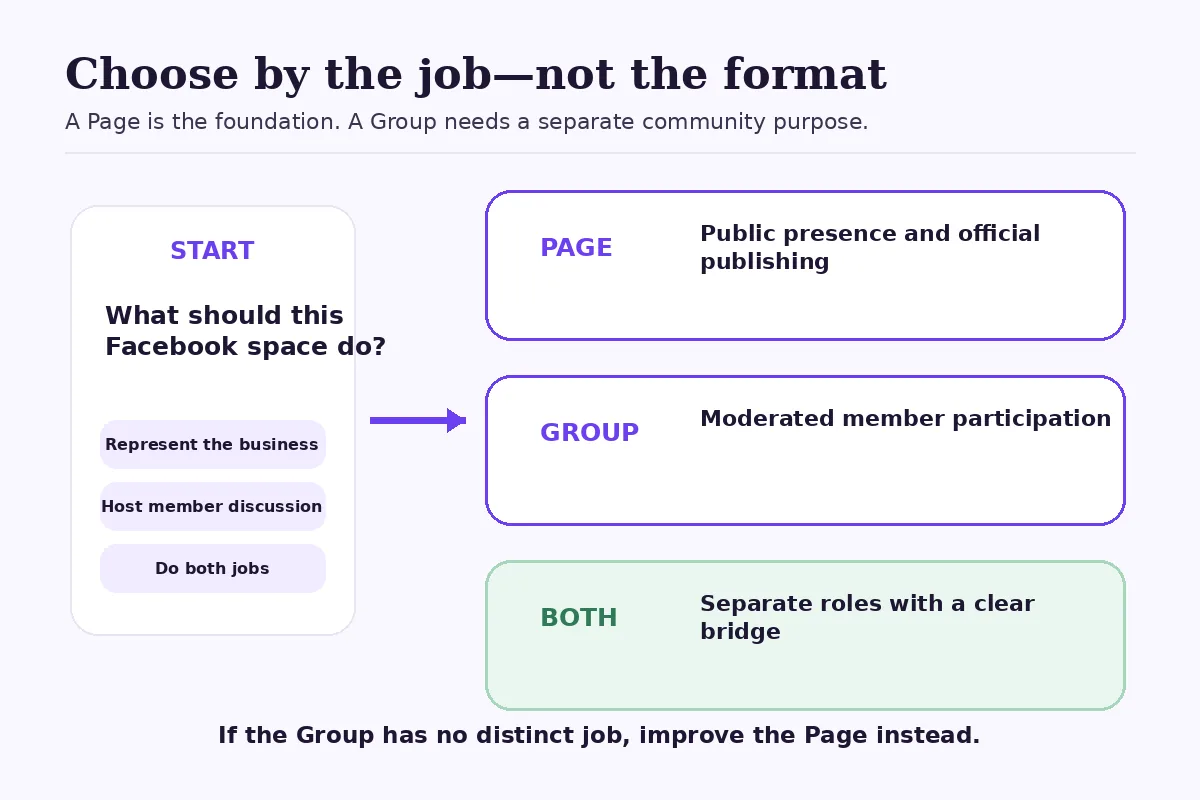
The practical answer is usually **Page first, Group only when you have a clear community job**. Some businesses need both. Many do not.
> **Quick verdict:** Choose a Page when you need an official business presence, public content, promotion tools and a place for customers to discover or contact you. Add a Group when members have a real reason to talk with one another, return regularly and follow shared rules. Do not create a Group merely because organic Page reach feels difficult.
## How this comparison was made
This is a criteria-based comparison using Meta's current documentation and common operating requirements. It is not a FastSocialz campaign test, and it does not claim that either format produces better reach, engagement, leads or sales.
The comparison focuses on purpose, audience relationship, visibility, publishing control, moderation, measurement and workload. Exact settings can vary by account, country and product update, so check the options shown in your own Facebook interface before committing to a workflow.
## Facebook Page vs Group at a glance
| Question | Facebook Page | Facebook Group |
|---|---|---|
| What is its main job? | Represent a business, brand, organization or public presence | Organize people around a shared topic, identity or purpose |
| Who usually starts the content? | The Page and its managers | Admins and members, depending on settings |
| Is it suitable as the official business presence? | Yes | Not usually on its own |
| What kind of interaction fits best? | Updates, announcements, service information and public replies | Discussion, peer support, questions and recurring participation |
| What is the main operational cost? | Consistent publishing and customer response | Moderation, member approval, rules and community care |
| Can a business use both? | Yes | Yes; a Page can also create and manage a Group where available |
| Does either option guarantee growth? | No | No |
Start with the business job. Add a Group only when member-to-member interaction is part of the value.
## What a Facebook Page is designed to do
Meta describes a Facebook Page as a place where customers can discover and interact with a business. A Page can publish and promote content, share business information and connect people with products or services. That makes it the natural public home for most organizations on Facebook.
A Page works well when the business needs to:
- publish official news, launches, opening hours or event updates;
- provide a recognizable identity that employees can manage through permissions;
- respond to comments and messages as the business;
- review content performance in Meta Business Suite; or
- use paid promotion when a specific campaign requires it.
The relationship is primarily **business to audience**. People can comment, share and message, but the Page normally sets the publishing direction.
That does not mean a Page should read like a noticeboard. Useful Page content can invite questions, show how work is done and feature customer concerns. The distinction is structural: the business remains the source and accountable owner of the public presence.
If several people manage the Page, use individual permissions instead of sharing a password. Our guide to [giving someone Facebook Page access safely](/blog/give-someone-access-facebook-page-safely) explains that setup.
## What a Facebook Group is designed to do
A Facebook Group is a shared space for people who have something meaningful in common. Depending on its settings, members may post, comment, answer questions, join events and help shape the discussion.
The relationship is **member to member as well as business to member**. That difference changes the work. A healthy Group needs a defined purpose, understandable rules and consistent moderation. The administrator is not just publishing content; they are setting the conditions for other people to participate safely and usefully.
A Group can make sense for:
- customers learning the same skill or product category;
- participants in a course, program or event series;
- local members sharing relevant questions and recommendations;
- a professional community with a narrow topic; or
- users who benefit from peer support after a purchase.
Meta's current Group-creation guidance includes privacy choices and recommends that admins disclose commercial or business affiliations. Those are not cosmetic details. They shape expectations about who can see the Group, why it exists and whose interests it serves.
## Which one is better for discovery?
A Page is the stronger default for public discovery because it is built to represent the business. It gives official content, contact details and brand information one consistent home. A Group may be discoverable depending on its privacy and visibility settings, but discovery alone is not a sufficient reason to create one.
A public Group with no clear member purpose often becomes a second, weaker content feed. The business reposts its Page updates, members rarely speak, and moderation still consumes time. That is duplication rather than community.
If your immediate problem is that Page performance changed, diagnose the distribution issue before building another property. Review comparable posts, audience mix and content changes in Meta Business Suite instead of assuming a Group will bypass the problem. The [20-minute Facebook content audit](/blog/audit-facebook-content-meta-business-suite) offers a structured workflow.
## Which one gives the business more publishing control?
A Page gives the business clearer editorial control. Page managers decide what the Page publishes and can organize an approval process around official content.
A Group distributes more of that control. Admins can set rules and choose whether member posts need approval, but the space is designed for participation. If every post must sound exactly like brand copy, a Group may be the wrong container.
This is the most useful decision test: **Would the business still want the space if members talked to one another without waiting for the brand to start every conversation?**
If the answer is no, use the Page and improve the content there. If the answer is yes, define the topic, boundaries and moderation plan before inviting anyone.
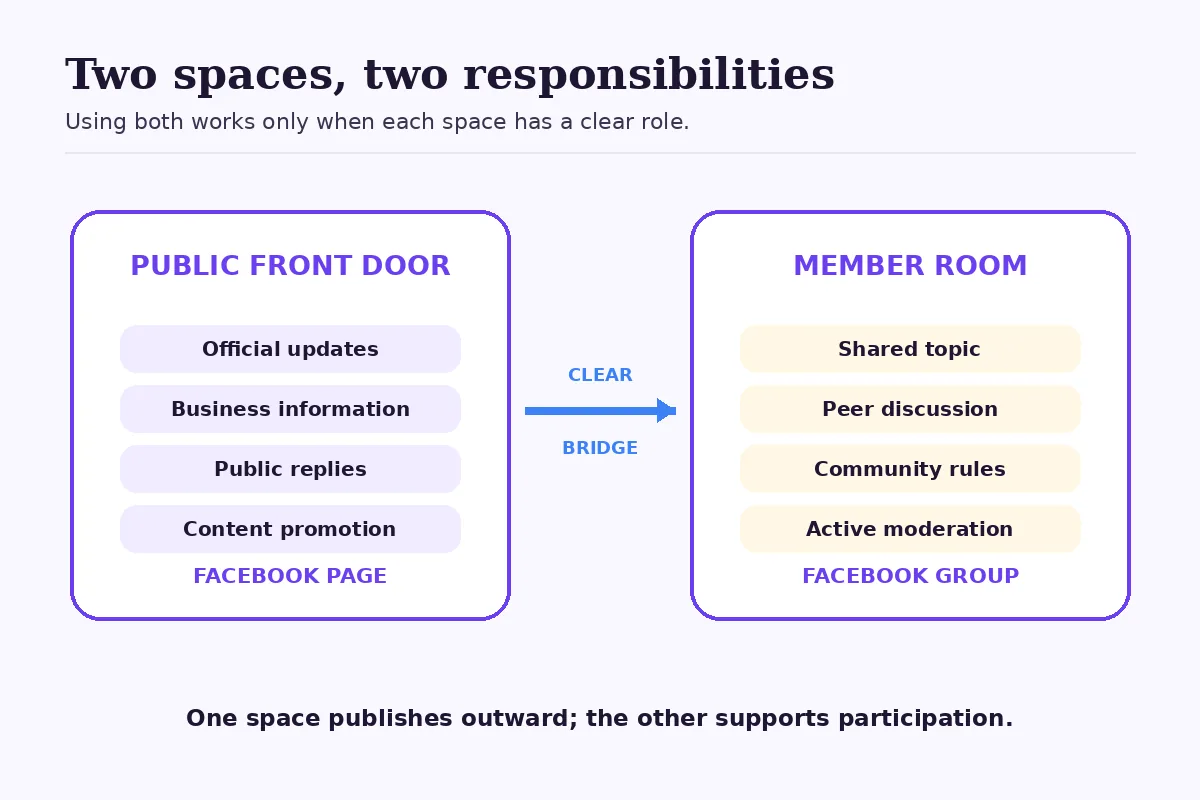
A Page communicates outward; a Group adds a governed space for participation.
## When using both makes sense
Using both can work when each has a separate job:
1. **The Page is the public front door.** It holds official information, broadly useful content and customer-facing updates.
2. **The Group is the member room.** It supports a narrower set of conversations that would not fit every Page follower.
3. **The bridge is explicit.** People know why they should move from the Page to the Group and what they will find there.
Imagine a hypothetical neighborhood fitness studio. Its Page publishes class schedules, instructor introductions and public event announcements. Its optional member Group is for current participants who want accountability threads, equipment questions and updates specific to active programs.
That split is understandable. Reposting every Page announcement into the Group without encouraging useful member participation is not.
A second hypothetical example is a software consultancy. The Page can share public explanations and company updates. A Group would make sense only if the consultancy is prepared to host a genuine practitioner community with moderation, topic rules and a reason for members to return. It should not be created as a disguised sales list.
These scenarios are illustrative, not reported customer outcomes or performance benchmarks.
## When a Page alone is the better choice
Stay with a Page when the business mainly needs a credible public presence and does not have the resources or purpose for community management.
A Page alone is usually enough when:
- customers need updates rather than peer discussion;
- the team cannot review member requests or moderate posts consistently;
- sensitive questions should move to private customer support;
- the likely Group conversation would simply repeat Page comments; or
- nobody owns the community experience after launch.
Choosing not to create a Group is not a missed growth tactic. It may be the more professional decision. An inactive Group can signal neglect, while a focused Page can remain useful with a realistic publishing cadence.
## When a Group becomes worth the workload
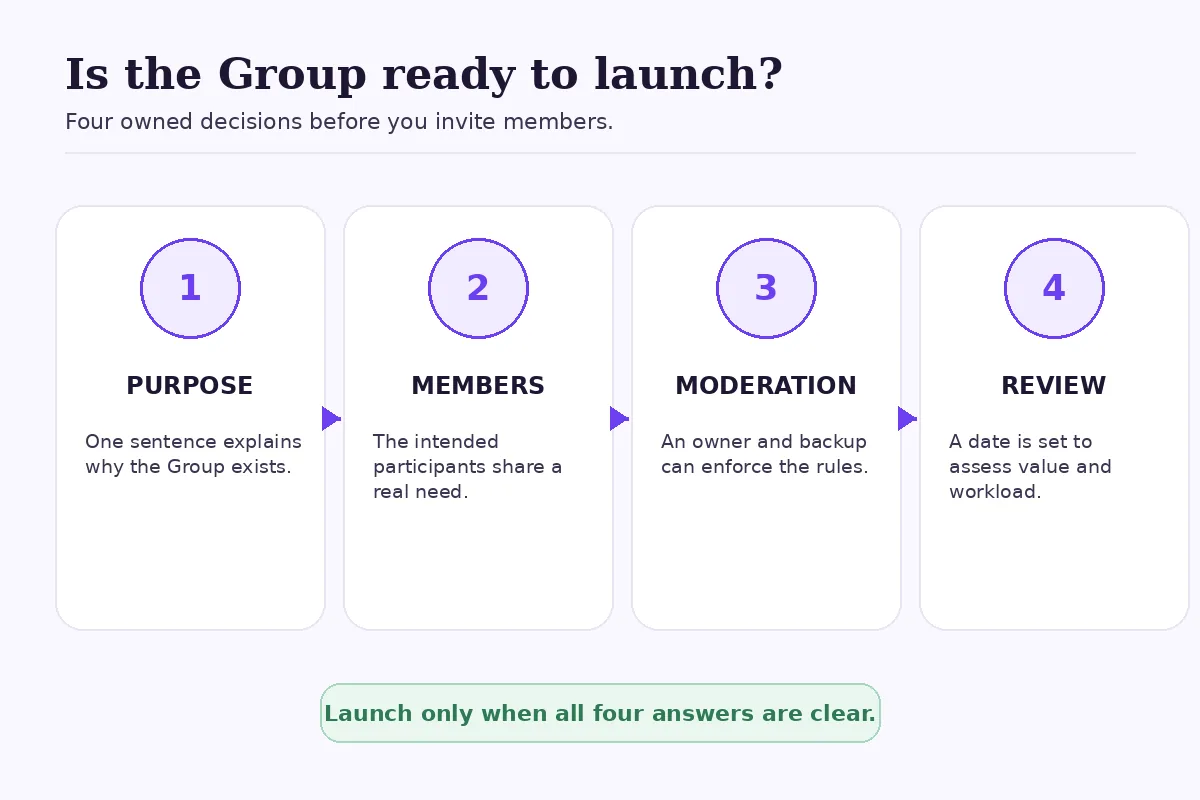
A Group becomes more defensible when you can answer four questions clearly:
### Who is it for?
Define the member, not just the market. “Small-business owners” is broad. “Independent studio owners implementing a weekly content-review routine” gives people a shared context.
### What will members do there?
Name repeatable behaviors: ask implementation questions, exchange feedback, attend a monthly discussion or share progress within clear boundaries.
### What will the business moderate?
Decide how you will handle spam, promotions, misinformation, conflict and private customer issues. Group rules without enforcement are only decoration.
### What will make the Group different from the Page?
If the answer is “the same posts, but in another place,” stop. The Group needs a participation model, not another publishing calendar.
## Common mistakes in the Page-versus-Group decision
### Treating a Group as an algorithm shortcut
A Group is not a guaranteed route to reach or engagement. Members still choose whether to participate, and Facebook still controls product distribution.
### Launching before assigning an owner
Someone needs responsibility for approvals, moderation, escalation and regular review. “The marketing team” is not an owner unless a named role has time and authority.
### Using personal credentials as the operating system
Keep Page and Group management tied to legitimate individual accounts and documented access. Do not circulate a shared password.
### Measuring both spaces with the same single number
Page content may be judged by discovery, views, reach, clicks or customer actions appropriate to the post. A Group also needs community-health signals such as useful member posts, answered questions and moderation workload. No single metric proves business value.
### Promoting too early
Do not invite a large audience into an empty space. Prepare the purpose, rules, welcome post and first few discussion prompts before opening the door.
## A practical decision sequence
1. Create or maintain the Page as the official business presence.
2. Write the separate job a Group would perform in one sentence.
3. Identify the exact members and the conversations they need.
4. Assign an owner and a backup moderator.
5. Choose privacy and visibility settings that match the purpose.
6. Prepare rules, a welcome post and an escalation path.
7. Run a small, time-bounded pilot before promoting widely.
8. Review whether the Group creates useful participation or only duplicates Page work.
A Group is ready when purpose, members, moderation and review are all owned.
## Where FastSocialz fits
FastSocialz offers [Facebook growth support](/facebook-growth) without requiring your Facebook password. It does not replace content strategy, Page permissions, Group moderation or customer support, and it cannot guarantee followers, reach, engagement, leads or sales.
Use any growth service with clear objectives and realistic expectations. A Page or Group still needs useful content and responsible management.
## Official sources
- [Meta for Business: Facebook Pages](https://www.facebook.com/business/tools/facebook-pages)
- [Facebook Help Center: Create a Facebook Group](https://www.facebook.com/help/167970719931213)
- [Facebook Help Center: Create a Group as your Page](https://www.facebook.com/help/598453443693392)
## Final recommendation
For most businesses, the Page is the foundation. It is the public, accountable place for official content and customer-facing information.
A Group is an additional operating commitment. Create one when the members, not just the business, have a reason to contribute—and when your team is ready to moderate that participation. If those conditions are missing, make the Page more useful instead of creating another empty channel.
---
Canonical HTML page: https://fastsocialz.com/blog/facebook-page-vs-group
## See also
- [Home](/index.md)
- [Pricing](/pricing.md)
- [How it works](/how-it-works.md)
- [Instagram growth](/instagram-growth.md)
- [TikTok growth](/tiktok-growth.md)
- [Facebook growth](/facebook-growth.md)
- [YouTube growth](/youtube-growth.md)
- [Spotify growth](/spotify-growth.md)
- [LinkedIn growth](/linkedin-growth.md)
- [About](/about.md)
- [Contact](/contact.md)
- [Affiliate](/affiliate.md)
- [Terms](/terms.md)
- [Privacy](/privacy.md)
- [Refunds](/refunds.md)
- [Site index for AI agents](/llms.txt)